> ## Documentation Index
> Fetch the complete documentation index at: https://docs.fanfare.io/llms.txt
> Use this file to discover all available pages before exploring further.
# Experiences
> Creating and managing product launches, sales, and access-controlled events
An **Experience** is the central container for a product launch, sale event, or access-controlled offering in Fanfare. It brings together your products, timing, and access methods to orchestrate how consumers reach checkout.
## What is an Experience?
Think of an experience as a campaign for a specific launch or event. When you create an experience, you define:
* **What** — Which products are available
* **When** — Opening and closing times
* **How** — The method consumers use to get access (queue, draw, auction, etc.)
* **Who** — Which consumer groups can participate (optional)
## Experience Schedule
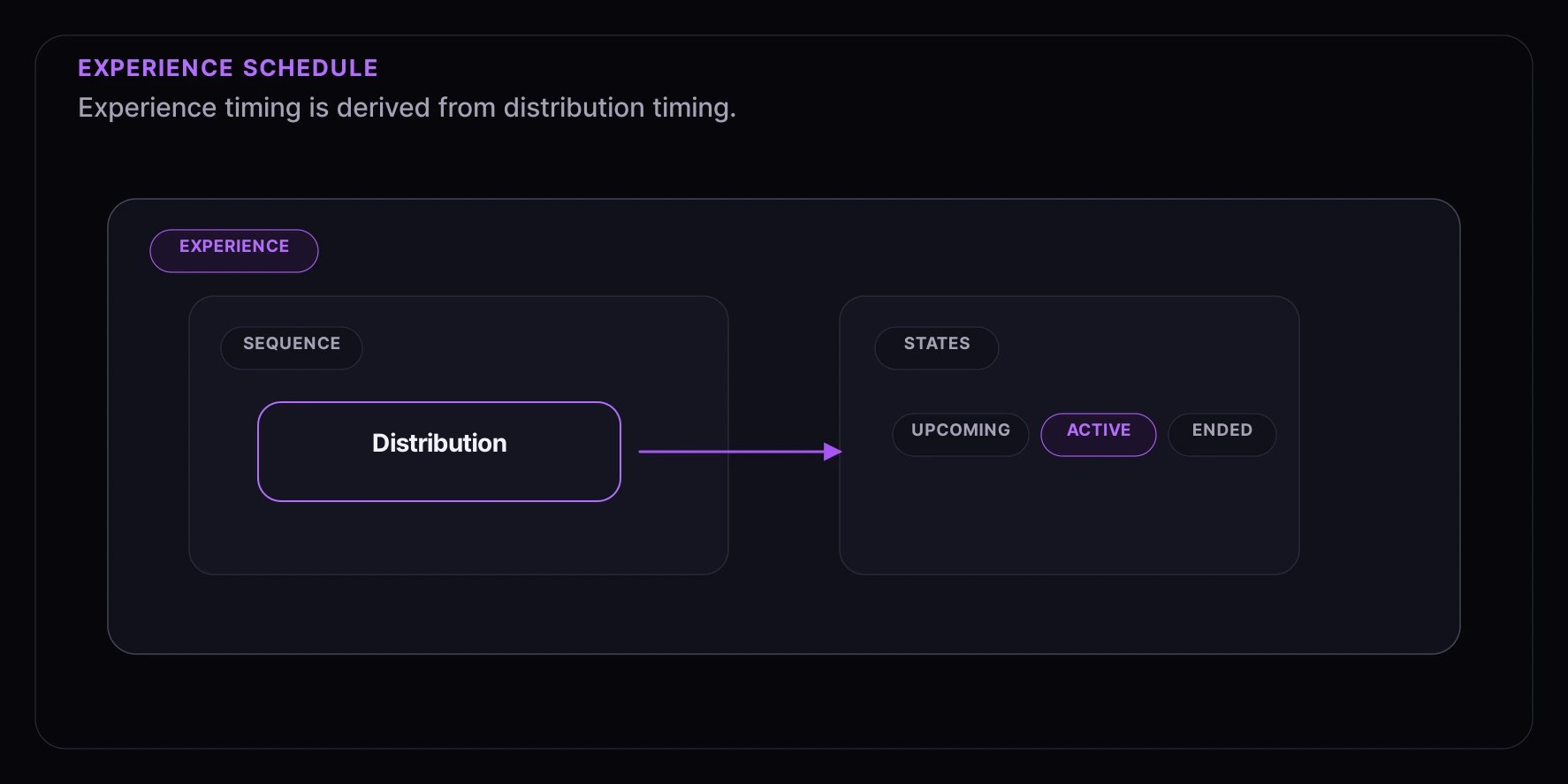 An experience does not have a separate public state machine. Its visible schedule is derived from the distributions attached to its sequences.
| Distribution timing | Consumer-facing meaning |
| ------------------- | --------------------------------------------------------------------------------------------------------------- |
| **upcoming** | The distribution has not opened yet; consumers may see a launch time, countdown, or waitlist prompt. |
| **active** | The distribution is available for its supported action, such as entering, bidding, booking, or claiming access. |
| **ended** | The distribution window has closed; consumers see closed-state messaging or their outcome. |
Draw `drawAt` and auction `settleAt` can extend the derived experience schedule beyond the entry or bidding window because they represent outcome timing.
## Access Paths (Sequences)
Within an experience, you can create multiple **access paths** (called sequences) to give different consumer groups different experiences:
An experience does not have a separate public state machine. Its visible schedule is derived from the distributions attached to its sequences.
| Distribution timing | Consumer-facing meaning |
| ------------------- | --------------------------------------------------------------------------------------------------------------- |
| **upcoming** | The distribution has not opened yet; consumers may see a launch time, countdown, or waitlist prompt. |
| **active** | The distribution is available for its supported action, such as entering, bidding, booking, or claiming access. |
| **ended** | The distribution window has closed; consumers see closed-state messaging or their outcome. |
Draw `drawAt` and auction `settleAt` can extend the derived experience schedule beyond the entry or bidding window because they represent outcome timing.
## Access Paths (Sequences)
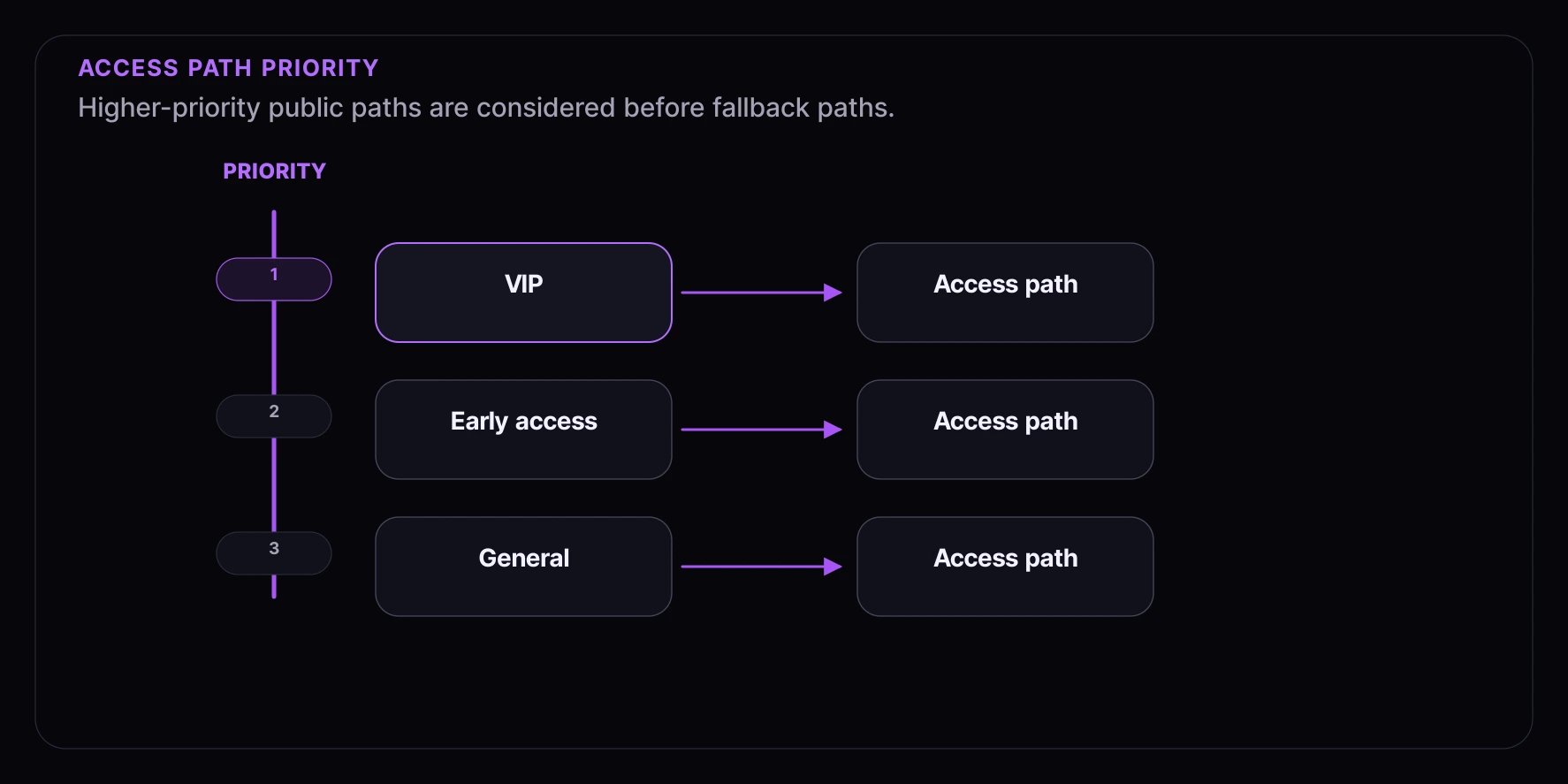
Within an experience, you can create multiple **access paths** (called sequences) to give different consumer groups different experiences:
 ### How Routing Works
When a consumer enters your experience:
1. Fanfare evaluates available sequences in priority order.
2. The response returns a public outcome such as `routed`, `gated`, or `no_access`.
3. If the consumer is gated, the response tells your UI which public requirement to collect, such as authentication, an access code, or a verification step.
4. Once routed, the current journey state exposes only the actions that are valid for that state.
### Common Patterns
**VIP Early Access**
```
VIP Sequence (Priority: 100)
↳ Requires: VIP audience membership
↳ Distribution: Draw (lottery for fairness)
General Sequence (Priority: 10)
↳ Requires: Nothing (open to all)
↳ Distribution: Queue (first-come)
```
**Access Code Launch**
```
Presale Sequence (Priority: 100)
↳ Requires: Access code "PRESALE2024"
↳ Distribution: Queue
General Sale Sequence (Priority: 10)
↳ Requires: Nothing
↳ Distribution: Queue
```
**Waitlist Overflow**
```
Main Queue Sequence (Priority: 100)
↳ Distribution: Queue (limited capacity)
Waitlist Sequence (Priority: 10)
↳ Distribution: Waitlist (notified when space opens)
```
## Products in Experiences
You can associate one or more products with an experience:
### Single Product
Most experiences have one product — a product launch, limited edition, or exclusive item.
### Multiple Products
You can offer several products in one experience — useful for collection drops, bundle sales, or mystery boxes. Depending on the experience setup, consumers can choose a product or Fanfare can assign one from the configured product pool.
### Product Selection
You can control how products are selected:
* **Consumer-selected** — Consumers pick their preferred product or variant
* **System-assigned** — Fanfare assigns from the configured product pool (great for mystery boxes)
For system-assigned products, product allocation weights control the relative probability that each product is assigned. Keep those weights separate from draw odds: draw configuration decides which consumers are selected, while product allocation decides what an admitted or selected consumer receives.
## Theming and Customization
Each experience can have its own look and feel:
* **Colors** — Match your brand
* **Logo** — Your company logo
* **Background** — Custom images or colors
* **Language** — Customize text and messages
Themes can be set at the account level and overridden for specific experiences.
## Consumer Journey Phases
When consumers participate in an experience, they move through phases:
### 1. Arriving
Consumer lands on the experience page. They see:
* Product information
* When the experience opens (if scheduled)
* What access method is being used
### 2. Joining
Consumer enters the experience:
* May need to provide contact information
* May need an access code
* Gets assigned to the appropriate access path
### 3. Participating
Consumer participates according to the distribution type:
* Waiting in a queue
* Entered in a draw
* Placing bids in an auction
* Booking an appointment
* Claiming a timed release
* Joining a waitlist when the current access path offers one
### 4. Getting Access
When it's their turn, the consumer receives access to checkout. This typically includes:
* A time-limited window to complete their purchase
* Real-time status updates
* Clear next steps
### 5. Completing
Consumer completes their purchase within the access window.
## Best Practices
### Plan Your Timing
* Set opening times that work for your target audience's timezone
* Give yourself buffer time before high-profile launches
* Consider closing times based on your operational capacity
### Design Access Paths Thoughtfully
* Higher-priority paths should have stricter eligibility requirements
* Always have a general access path as a fallback
* Test your routing logic before launch
### Prepare Products Early
* Associate products before the experience opens
* Ensure inventory is accurate
* Test the checkout flow
### Test the Consumer Flow
* Use preview mode to see what consumers will experience
* Test all access paths with different scenarios
* Verify timing displays correctly in different timezones
## Next Steps
* [Distribution Types](/concepts/distributions/overview) — Learn about queues, draws, auctions, and more
* [Audiences](/concepts/audiences) — Create targeted consumer groups
* [Products](/concepts/products) — Set up your product catalog
### How Routing Works
When a consumer enters your experience:
1. Fanfare evaluates available sequences in priority order.
2. The response returns a public outcome such as `routed`, `gated`, or `no_access`.
3. If the consumer is gated, the response tells your UI which public requirement to collect, such as authentication, an access code, or a verification step.
4. Once routed, the current journey state exposes only the actions that are valid for that state.
### Common Patterns
**VIP Early Access**
```
VIP Sequence (Priority: 100)
↳ Requires: VIP audience membership
↳ Distribution: Draw (lottery for fairness)
General Sequence (Priority: 10)
↳ Requires: Nothing (open to all)
↳ Distribution: Queue (first-come)
```
**Access Code Launch**
```
Presale Sequence (Priority: 100)
↳ Requires: Access code "PRESALE2024"
↳ Distribution: Queue
General Sale Sequence (Priority: 10)
↳ Requires: Nothing
↳ Distribution: Queue
```
**Waitlist Overflow**
```
Main Queue Sequence (Priority: 100)
↳ Distribution: Queue (limited capacity)
Waitlist Sequence (Priority: 10)
↳ Distribution: Waitlist (notified when space opens)
```
## Products in Experiences
You can associate one or more products with an experience:
### Single Product
Most experiences have one product — a product launch, limited edition, or exclusive item.
### Multiple Products
You can offer several products in one experience — useful for collection drops, bundle sales, or mystery boxes. Depending on the experience setup, consumers can choose a product or Fanfare can assign one from the configured product pool.
### Product Selection
You can control how products are selected:
* **Consumer-selected** — Consumers pick their preferred product or variant
* **System-assigned** — Fanfare assigns from the configured product pool (great for mystery boxes)
For system-assigned products, product allocation weights control the relative probability that each product is assigned. Keep those weights separate from draw odds: draw configuration decides which consumers are selected, while product allocation decides what an admitted or selected consumer receives.
## Theming and Customization
Each experience can have its own look and feel:
* **Colors** — Match your brand
* **Logo** — Your company logo
* **Background** — Custom images or colors
* **Language** — Customize text and messages
Themes can be set at the account level and overridden for specific experiences.
## Consumer Journey Phases
When consumers participate in an experience, they move through phases:
### 1. Arriving
Consumer lands on the experience page. They see:
* Product information
* When the experience opens (if scheduled)
* What access method is being used
### 2. Joining
Consumer enters the experience:
* May need to provide contact information
* May need an access code
* Gets assigned to the appropriate access path
### 3. Participating
Consumer participates according to the distribution type:
* Waiting in a queue
* Entered in a draw
* Placing bids in an auction
* Booking an appointment
* Claiming a timed release
* Joining a waitlist when the current access path offers one
### 4. Getting Access
When it's their turn, the consumer receives access to checkout. This typically includes:
* A time-limited window to complete their purchase
* Real-time status updates
* Clear next steps
### 5. Completing
Consumer completes their purchase within the access window.
## Best Practices
### Plan Your Timing
* Set opening times that work for your target audience's timezone
* Give yourself buffer time before high-profile launches
* Consider closing times based on your operational capacity
### Design Access Paths Thoughtfully
* Higher-priority paths should have stricter eligibility requirements
* Always have a general access path as a fallback
* Test your routing logic before launch
### Prepare Products Early
* Associate products before the experience opens
* Ensure inventory is accurate
* Test the checkout flow
### Test the Consumer Flow
* Use preview mode to see what consumers will experience
* Test all access paths with different scenarios
* Verify timing displays correctly in different timezones
## Next Steps
* [Distribution Types](/concepts/distributions/overview) — Learn about queues, draws, auctions, and more
* [Audiences](/concepts/audiences) — Create targeted consumer groups
* [Products](/concepts/products) — Set up your product catalog