> ## Documentation Index
> Fetch the complete documentation index at: https://docs.fanfare.io/llms.txt
> Use this file to discover all available pages before exploring further.
# Fanfare SDK
> Integrate Fanfare experiences with the browser SDK, React components, or web components.
The Fanfare SDK helps you add controlled-access experiences to your application. It gives your application a typed way to start an experience, respond to access requirements, render the consumer's current state, and send granted consumers to the next step in your flow.
This SDK documentation is intentionally contract-first. It explains the public states, actions, callbacks, and customization surfaces you can build against. It does not describe private enforcement logic, abuse-prevention details, or operational details that are not required for integration.
## Mental model
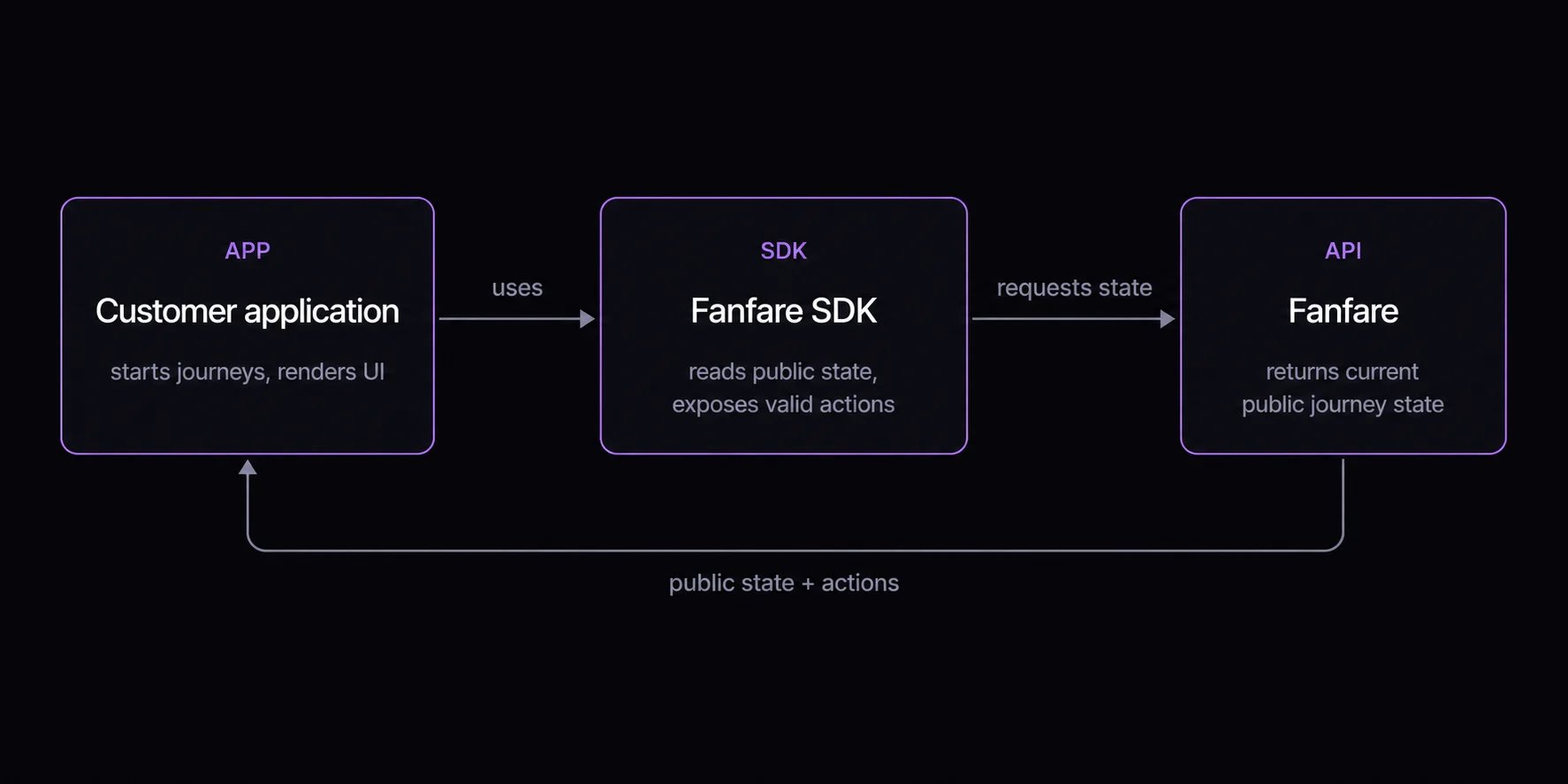 The core concept is a **journey**. A journey represents one consumer's progress through one Fanfare experience. Your integration reads the journey state and presents the right UI for that state.
## Integration paths
| Path | Use when | Main APIs |
| --------------------------------------------- | -------------------------------------------------------------------------------------------------------- | --------------------------------------------------------------------------------------------- |
| Core SDK | You want full control over UI, routing, state management, or framework integration. | `init`, `sdk.journeys.get()`, `JourneyView`, `JourneySnapshot` |
| React components | You use React and want a supported UI layer that can still be themed and customized. | `FanfareProvider`, `ExperienceWidget`, `useExperienceJourney` |
| Web components | You are integrating into static HTML, a CMS, or a non-React host. | `registerWebComponents()`, `` |
| [Shopify storefront](/sdk/shopify/quickstart) | You run a Shopify theme, Hydrogen/Oxygen, or headless storefront and want to gate products and checkout. | `FanfareShopifyProvider`, `useFanfareExperience`, `useFanfareCheckout`, `FanfareCheckoutGate` |
All paths use the same journey model. Even if you start with `ExperienceWidget`, understanding the core journey states will make customization and troubleshooting easier.
## Packages
```bash theme={null}
pnpm add @fanfare-io/fanfare-sdk-core
pnpm add @fanfare-io/fanfare-sdk-react
pnpm add @fanfare-io/fanfare-sdk-solid
```
Install only the packages your integration needs. React integrations usually install `@fanfare-io/fanfare-sdk-core` and `@fanfare-io/fanfare-sdk-react`. Web component integrations use `@fanfare-io/fanfare-sdk-solid`, which registers the custom element wrapper.
## First decision
Start with [Choose Your Path](/sdk/choose-your-path), then read the [Core SDK quickstart](/sdk/core/quickstart). The quickstart introduces the journey contract that every higher-level component uses.
The core concept is a **journey**. A journey represents one consumer's progress through one Fanfare experience. Your integration reads the journey state and presents the right UI for that state.
## Integration paths
| Path | Use when | Main APIs |
| --------------------------------------------- | -------------------------------------------------------------------------------------------------------- | --------------------------------------------------------------------------------------------- |
| Core SDK | You want full control over UI, routing, state management, or framework integration. | `init`, `sdk.journeys.get()`, `JourneyView`, `JourneySnapshot` |
| React components | You use React and want a supported UI layer that can still be themed and customized. | `FanfareProvider`, `ExperienceWidget`, `useExperienceJourney` |
| Web components | You are integrating into static HTML, a CMS, or a non-React host. | `registerWebComponents()`, `` |
| [Shopify storefront](/sdk/shopify/quickstart) | You run a Shopify theme, Hydrogen/Oxygen, or headless storefront and want to gate products and checkout. | `FanfareShopifyProvider`, `useFanfareExperience`, `useFanfareCheckout`, `FanfareCheckoutGate` |
All paths use the same journey model. Even if you start with `ExperienceWidget`, understanding the core journey states will make customization and troubleshooting easier.
## Packages
```bash theme={null}
pnpm add @fanfare-io/fanfare-sdk-core
pnpm add @fanfare-io/fanfare-sdk-react
pnpm add @fanfare-io/fanfare-sdk-solid
```
Install only the packages your integration needs. React integrations usually install `@fanfare-io/fanfare-sdk-core` and `@fanfare-io/fanfare-sdk-react`. Web component integrations use `@fanfare-io/fanfare-sdk-solid`, which registers the custom element wrapper.
## First decision
Start with [Choose Your Path](/sdk/choose-your-path), then read the [Core SDK quickstart](/sdk/core/quickstart). The quickstart introduces the journey contract that every higher-level component uses.