Webhooks Overview
Webhooks allow you to receive real-time notifications when events occur in your Fanfare organization. Instead of polling the API, webhooks push events to your server as they happen.How Webhooks Work
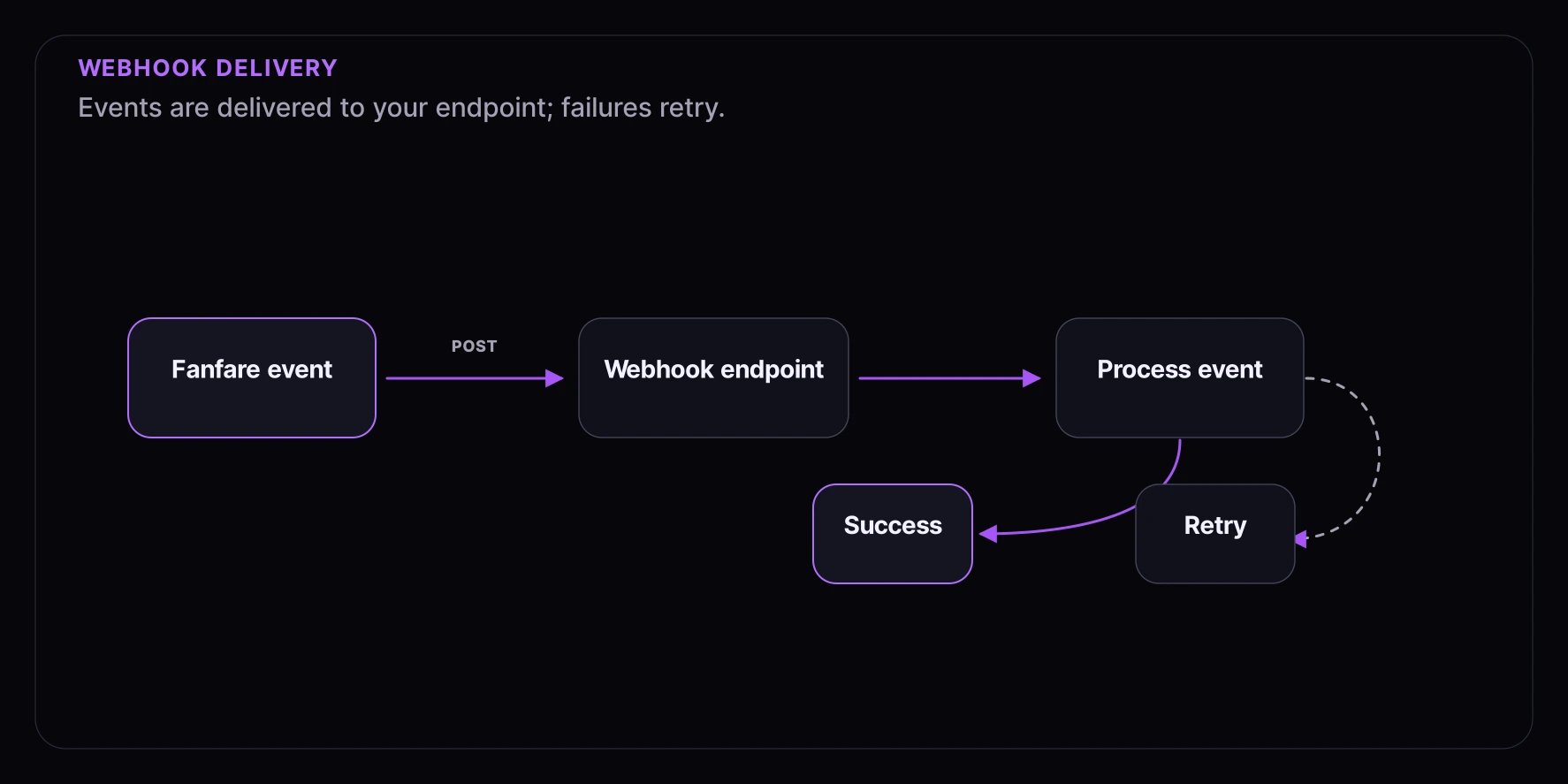
- You configure a webhook endpoint URL in your Fanfare dashboard
- When an event occurs, Fanfare sends an HTTP POST request to your endpoint
- Your server processes the event and responds with a 2xx status code
- If delivery fails, Fanfare retries with exponential backoff
Webhook Payload
All webhook payloads follow a consistent structure:Payload Fields
| Field | Type | Description |
|---|---|---|
id | string | Unique webhook delivery ID |
type | string | Event type (e.g., queue.consumer.admitted) |
timestamp | string | ISO 8601 timestamp of the event |
organizationId | string | Your organization ID |
data | object | Event-specific data |
Event Categories
Queue Events
| Event | Description |
|---|---|
queue.consumer.entered | Consumer joined a queue |
queue.consumer.admitted | Consumer admitted from queue |
queue.consumer.completed | Consumer completed checkout |
queue.consumer.left | Consumer left the queue |
queue.consumer.denied | Consumer was denied entry |
Draw Events
| Event | Description |
|---|---|
draw.consumer.entered | Consumer entered a draw |
draw.consumer.won | Consumer won the draw |
draw.consumer.lost | Consumer did not win |
draw.completed | Draw has been executed |
Auction Events
| Event | Description |
|---|---|
auction.bid.placed | Bid was placed |
auction.bid.outbid | Bidder was outbid |
auction.consumer.won | Consumer won auction |
auction.settled | Auction has settled |
Order Events
| Event | Description |
|---|---|
order.created | New order created |
order.completed | Order completed |
order.cancelled | Order was cancelled |
Consumer Events
| Event | Description |
|---|---|
consumer.created | New consumer created |
consumer.updated | Consumer profile updated |
Distribution Events
| Event | Description |
|---|---|
distribution.updated | Distribution timing/settings changed |
distribution.opened | Distribution is now open |
distribution.closed | Distribution has closed |
Configuring Webhooks
Via Dashboard
- Navigate to Settings > Webhooks in your Fanfare dashboard
- Click “Add Endpoint”
- Enter your webhook URL (must be HTTPS)
- Select the events you want to receive
- Save the endpoint
Via API
Receiving Webhooks
Basic Handler
Async Processing
For production, process webhooks asynchronously:Webhook Headers
Each webhook request includes:| Header | Description |
|---|---|
Content-Type | application/json |
X-Fanfare-Signature | HMAC-SHA256 signature |
X-Fanfare-Timestamp | Unix timestamp of request |
X-Fanfare-Event-Type | Event type |
X-Fanfare-Delivery-Id | Unique delivery ID |
User-Agent | Fanfare-Webhooks/1.0 |
Best Practices
1. Respond Quickly
Respond with a 2xx status code within 30 seconds. Process events asynchronously for longer operations.2. Handle Duplicates
Webhooks may be delivered more than once. Use the eventid to deduplicate:
3. Verify Signatures
Always verify the webhook signature before processing. See Webhook Signatures.4. Use HTTPS
Webhook endpoints must use HTTPS. HTTP URLs will be rejected.5. Handle Retries
If your endpoint fails, Fanfare will retry. See Retry Policy.Testing Webhooks
Using the Dashboard
- Go to Settings > Webhooks
- Select your endpoint
- Click “Send Test Event”
- Choose an event type to test
Using CLI
Local Development
For local development, use a tunneling service:Webhook Events Reference
For detailed information about each event type and its payload, see:- Webhook Events - All event types and payloads
- Webhook Signatures - Signature verification
- Retry Policy - Retry behavior