

Understanding Traffic Patterns
Product launches and limited releases typically follow predictable traffic patterns: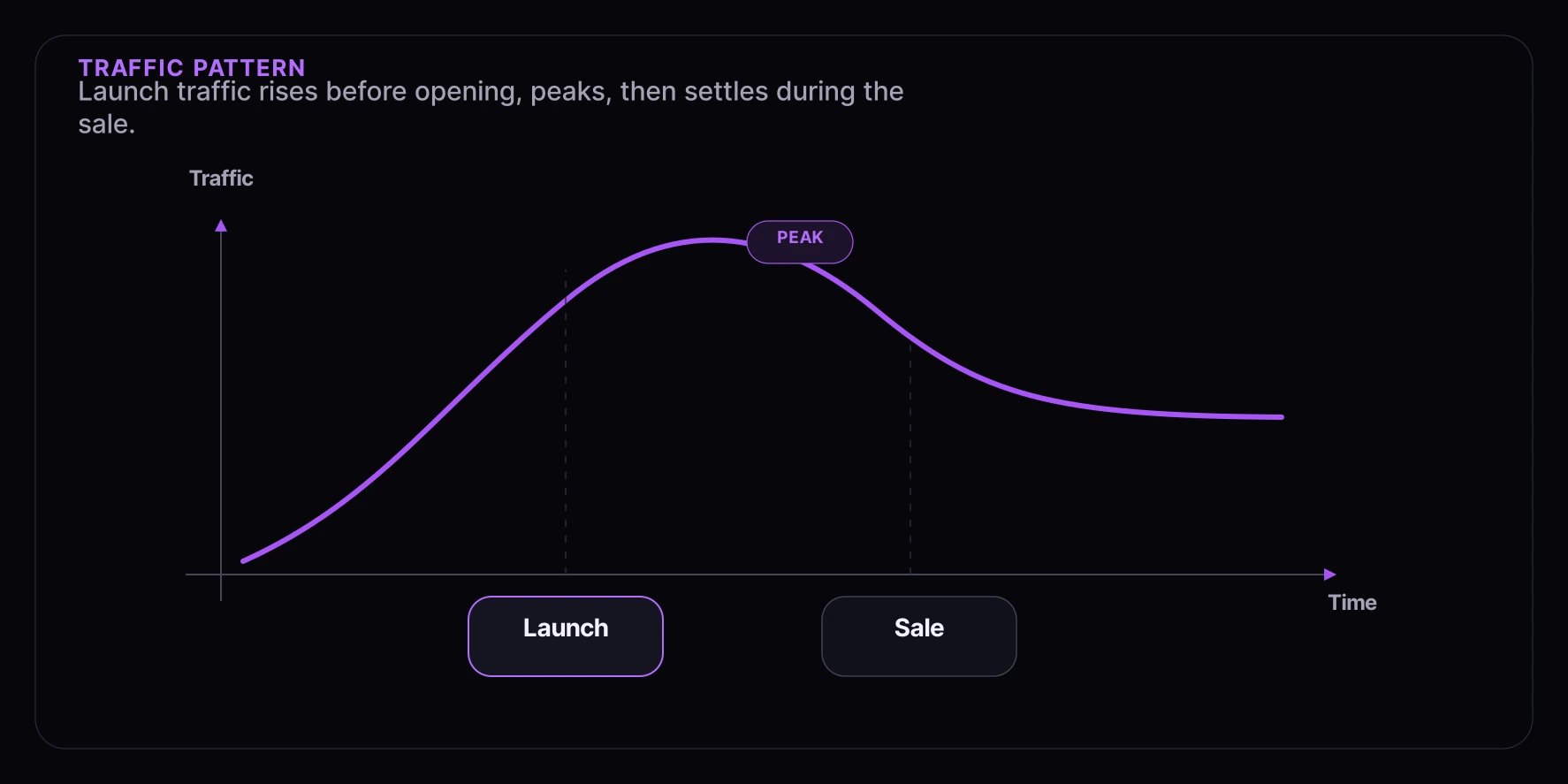
- Pre-launch surge: Traffic builds as the launch time approaches
- Peak at launch: Maximum traffic at the moment the experience opens
- Sustained period: Consistent traffic during the sale
- Gradual decline: Traffic decreases as inventory sells out
Capacity Planning
Estimate Your Traffic
Before a high-demand event, estimate expected traffic:Set Appropriate Limits
Configure experience limits to match your fulfillment capacity.Architecture Recommendations
Separate Landing Pages
Keep your product pages separate from Fanfare experiences.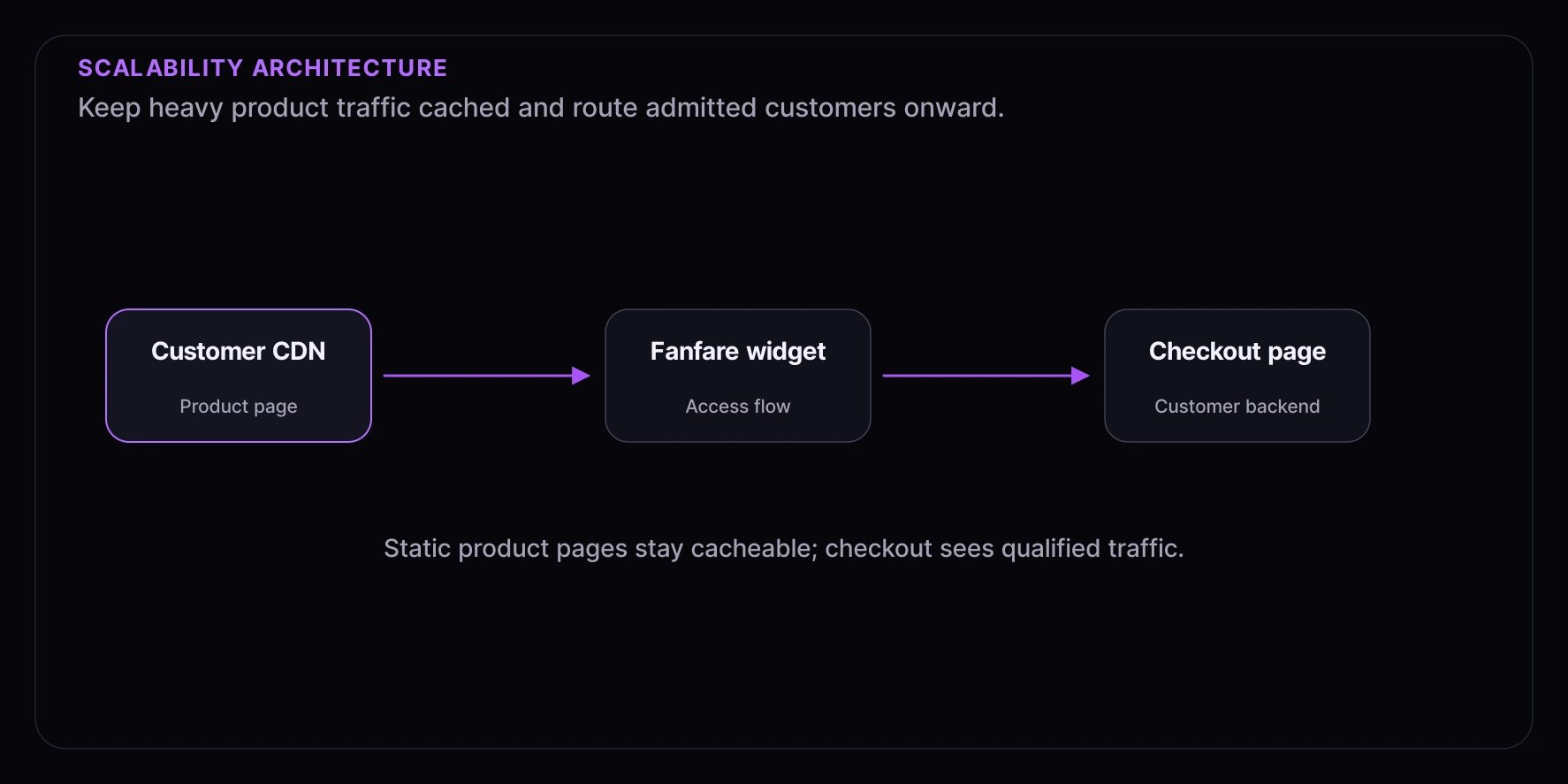
- Product pages can be heavily cached
- Fanfare handles the surge traffic
- Your checkout only sees qualified traffic
CDN Configuration
Cache static assets aggressively.High-Traffic Scenarios
Queue-Based Distribution
Queues are ideal for high-traffic scenarios as they naturally throttle access.Draw-Based Distribution
Draws distribute access randomly, ideal for fairness in high-demand situations.Error Handling at Scale
Retry with Backoff
Implement exponential backoff for transient errors.Graceful Degradation
Handle failures gracefully to maintain user trust.Load Testing
Pre-Launch Testing
Test your integration under expected load before the event.Testing Checklist
Test SDK initialization under load
Test SDK initialization under load
Verify the SDK initializes correctly when many users load the page simultaneously.
Test experience entry surge
Test experience entry surge
Simulate many users entering an experience at the exact same moment.
Test real-time updates
Test real-time updates
Verify position updates are delivered reliably under load.
Test handoff flow
Test handoff flow
Ensure the checkout handoff works when many users are granted access simultaneously.
Test error scenarios
Test error scenarios
Verify graceful handling of rate limits, timeouts, and service errors.
Monitoring During Events
Key Metrics to Watch
Real-Time Dashboards
Set up monitoring dashboards before high-traffic events.Communication During Events
Status Page
Consider setting up a status page for high-profile events.- Current queue depth
- Estimated wait times
- Any known issues
- Updates on inventory
User Messaging
Prepare messaging for common scenarios:Next Steps
- Performance Optimization - Optimize your integration
- Fairness Guide - Ensure equitable distribution
- Testing Strategies - Validate under load