Test your integration from the public contract:
- The right UI renders for each public journey state.
- Buttons call the actions exposed by the current
JourneyView.
- Gates show generic, customer-safe messaging.
- A granted handoff sends the consumer to the next app step.
- Sensitive runtime values are not sent to third-party logs.
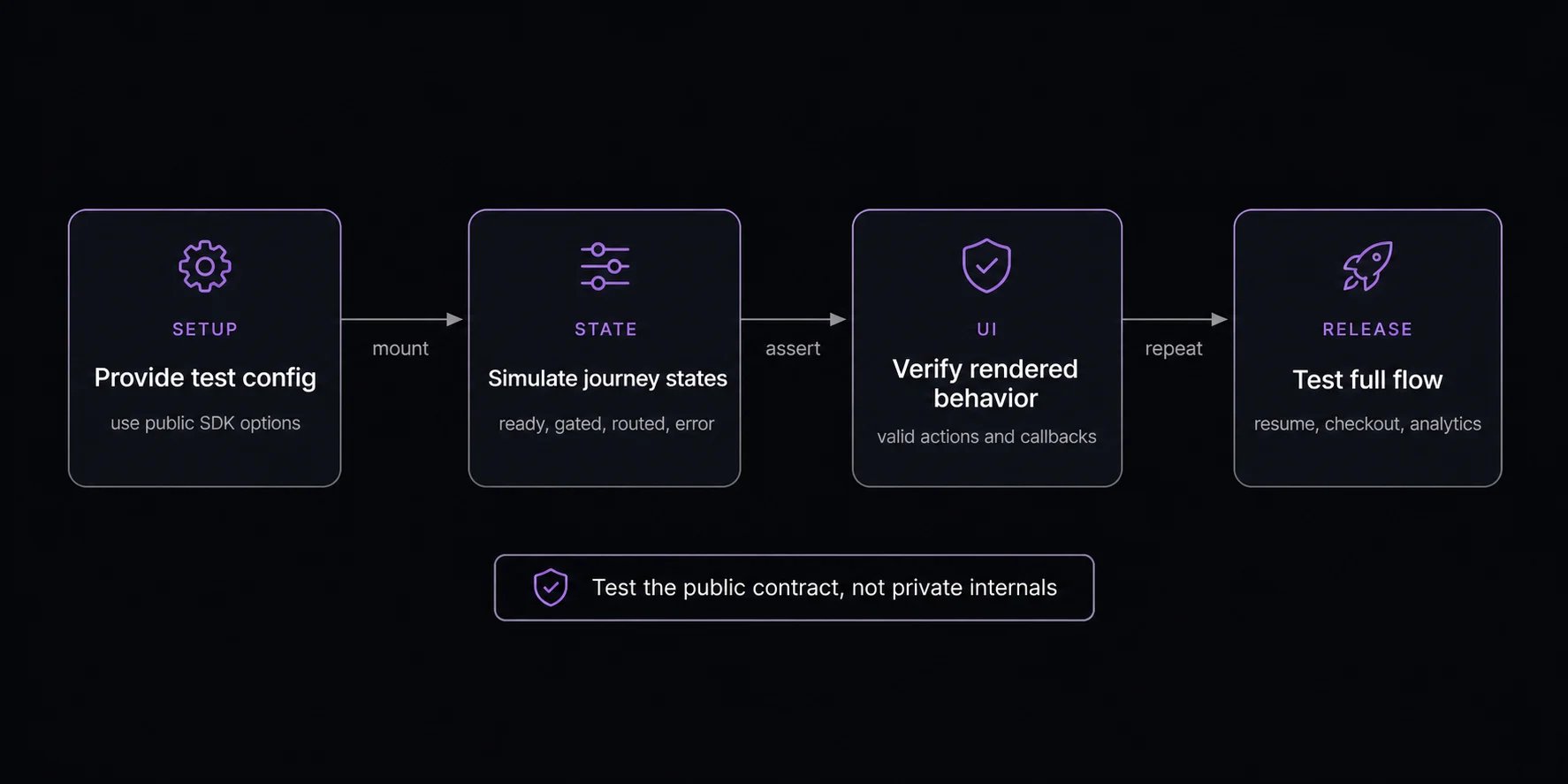
Recommended coverage
| Scenario | What to verify |
|---|
| Ready | Start CTA appears and calls start(). |
| Routing | Loading state appears without offering invalid actions. |
| Gated auth | Auth UI completes, then reroutes. |
| Gated access code | Code submission calls reroute({ accessCode }). |
| Routed upgrade offer | submitAccessCode(code) returns advanced (moves to the offered sequence), unchanged (no offer matched), or gated (gate UI takes over). |
| Reroute / downgrade | A downgrade emits a reroute event with severity "warning" and message "Sequence downgraded". |
| Scheduled | Timing renders without invalid actions. |
| Enterable | Enter, bid, or booking action is available for the mechanism. |
| Participating | Participation status renders and valid actions are available. |
| Settling (draw/auction only) | Pending-result copy renders without actions. |
| Granted | Checkout handoff runs and does not leak the grant. |
| Ended | Outcome copy is clear and generic. |
| Error | Retry or support path is visible. |
Run against the public harness
The @fanfare-io/fanfare-sdk-core/harness subpath ships an in-browser, fetch-intercepting mock of the Fanfare consumer API. It lets you run and verify a real integration end to end without a live Fanfare environment: queue positions count down per poll, draws resolve, and gates accept the test OTP and access codes.
import { useEffect, useState } from "react";
import initFanfare from "@fanfare-io/fanfare-sdk-core";
import { installHarnessMockServer } from "@fanfare-io/fanfare-sdk-core/harness";
function useHarnessSdk() {
const [sdk, setSdk] = useState<Awaited<ReturnType<typeof initFanfare>> | null>(null);
useEffect(() => {
const harness = installHarnessMockServer({ scenario: "queue" });
let active = true;
void initFanfare({
organizationId: "org_demo",
publishableKey: "pk_test_demo",
environment: "development",
apiUrl: harness.apiBaseUrl,
}).then((instance) => {
if (active) setSdk(instance);
});
return () => {
active = false;
harness.stop();
};
}, []);
return sdk;
}
installHarnessMockServer(options?) returns:
| Property | Purpose |
|---|
apiBaseUrl | Point the SDK’s apiUrl at this value. |
stop() | Removes the window.fetch interception. Call it on teardown. |
getRequests() | Returns the recorded api and beacon request logs for assertions. |
The harness intercepts window.fetch, so it is browser-only. Install it from a client effect, never during SSR. Pair it with environment: "development" and point apiUrl at the returned apiBaseUrl.
Choose a scenario with the scenario option (or install several with scenarios). The available HarnessScenarioKey values are:
"queue", "auth-queue", "access-code-queue", "admission-cycle", "queue-denied"
"waitlist-queue", "waitlist-lifecycle"
"upgrade-offer-queue", "upgrade-offer-multi-queue"
"draw", "auth-draw", "draw-denied"
"timed-release", "timed-release-completion"
"appointment"
"auction"
Auth-gated scenarios accept the default test OTP code "424242" (overridable via the otpCode option). Access-code scenarios accept "VIP123"; the multi-tier upgrade scenario additionally accepts "SUPER123".
Component integration tests
For React custom UI, wrap your Fanfare usage behind a small app-level component boundary so tests can provide controlled journey states.
export function LaunchExperience({ experienceId }: { experienceId: string }) {
const { view, start, error } = useExperienceJourney(experienceId);
return <LaunchExperienceView view={view} start={start} error={error} />;
}
Test LaunchExperienceView with representative JourneyView values (one per journeyStage, and per sequence.phase for routed). Keep SDK network behavior in a smaller number of integration tests.
Manual QA checklist
- Start from a clean browser profile.
- Repeat with an existing session.
- Open the same experience in two tabs.
- Verify loading, gated, participating, granted, ended, and error copy.
- Confirm checkout receives only the values it needs.
- Confirm analytics use high-level outcomes rather than raw grants or snapshots.