

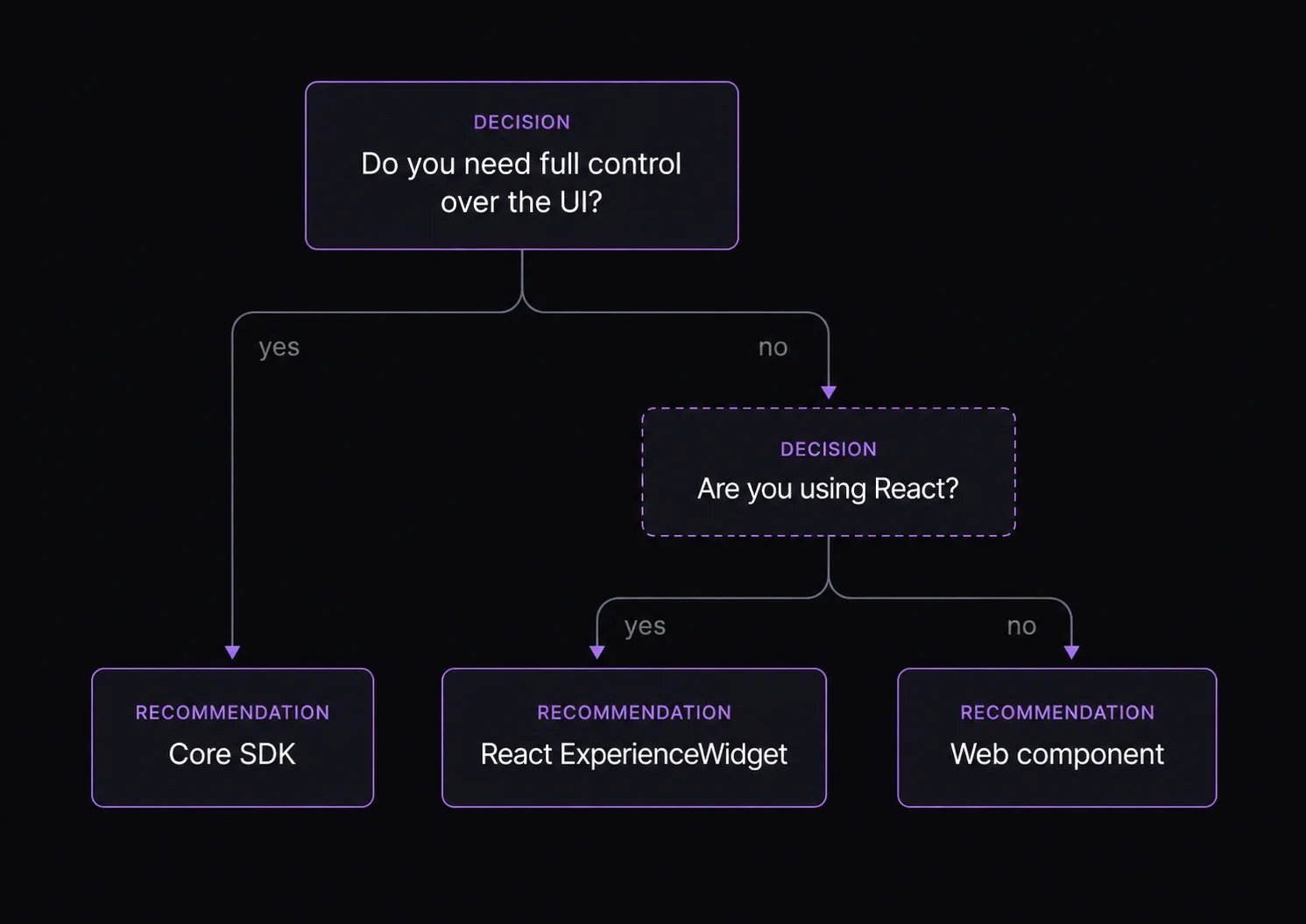
Core SDK
Choose the core SDK when your team wants to design every screen and connect the SDK state to your own components, router, analytics, and checkout behavior.
Use this path if your customer journey is highly branded, your product page already has a complex state model, or you need to integrate with a framework that does not have a Fanfare adapter.
React components
Choose React components when you want a supported UI layer but still need branding, slot overrides, callbacks, and custom copy.
Use this path for most React storefronts and launch pages. You can start with
ExperienceWidget, then move specific sections into slots as your design becomes more bespoke.
Web components
Choose web components when you need to embed Fanfare into a static page, CMS, tag-managed page, or non-React application.
Use this path when the host application cannot mount React directly, or when the integration team needs a simple HTML custom element.
Hybrid path
Many teams use more than one path:- Use
ExperienceWidgetfor the first launch. - Add slots for brand-critical states.
- Move to
useExperienceJourneyor core SDK for a fully custom UI.
JourneyView/SequenceView) and the actions it exposes. Do not build behavior around private implementation details or assumptions about why a consumer reached a state.