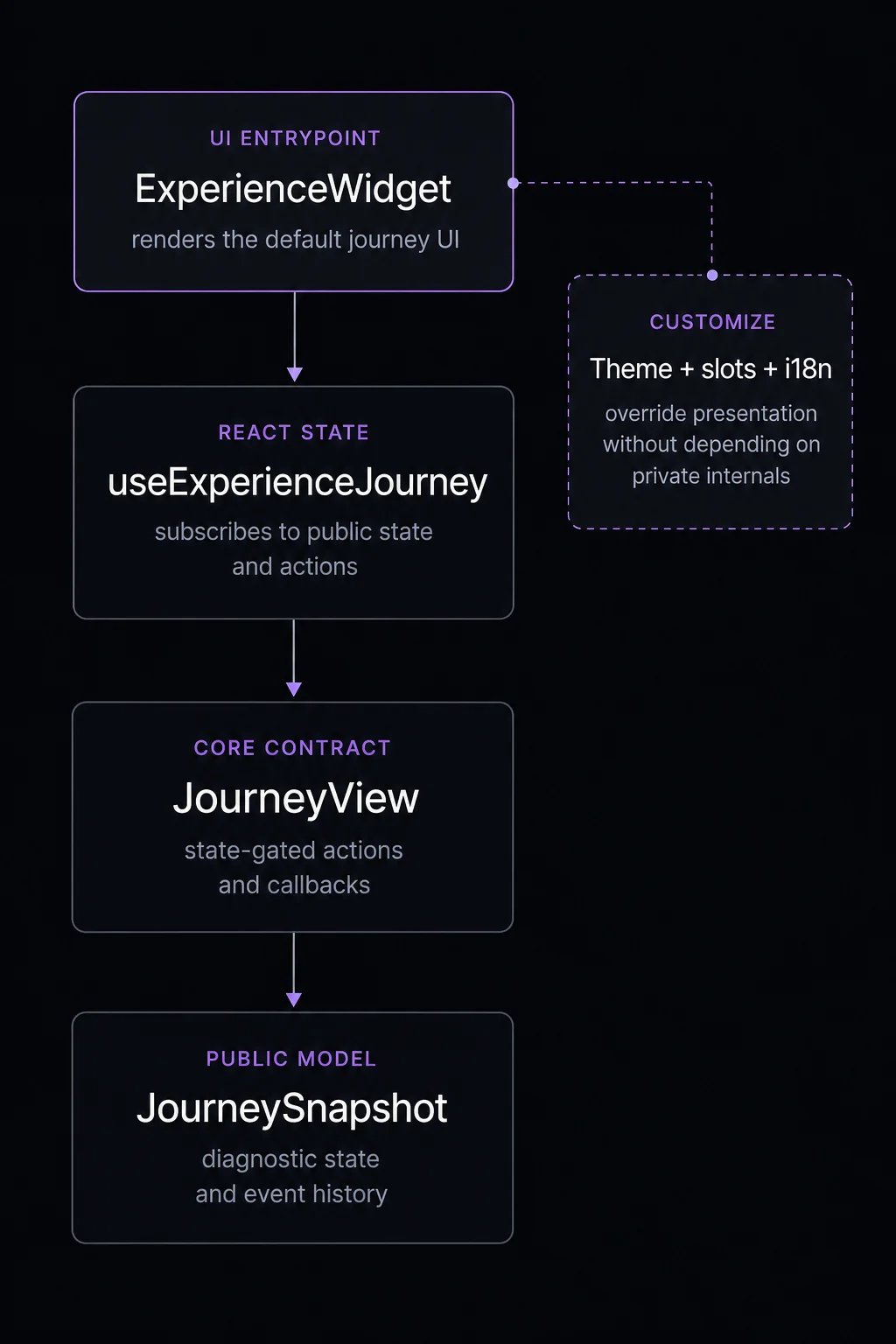
The component packages sit on top of the same journey contract as the core SDK. They do not create a separate integration model. They render the public journey state for you and expose customization points where your application needs control. Fanfare component layering showing ExperienceWidget, useExperienceJourney, JourneyView, JourneySnapshot, and customization hooks.

Supported component entrypoint

ExperienceWidget is the primary UI entrypoint for queue, draw, auction, timed release, and appointment sequences, plus the gated, granted, ended, and error stages. It also renders the waitlist attachment that can appear on a scheduled sequence (consumers join or leave via the scheduled sequence’s waitlist attachment, not a standalone waitlist mechanism). Do not start new integrations with standalone distribution widgets. The supported model is journey-first:
  • Use ExperienceWidget for drop-in UI.
  • Use slots for targeted replacement.
  • Use a render prop or useExperienceJourney for full custom UI.

Customization ladder

LevelUse forAPI
ThemeBrand colors, typography, and imagery.theme, ThemeProvider
VariantPackaged presentation style.variant
i18nButton labels, messages, and locale.locale, translations, I18nProvider
SlotsReplace specific journey states while keeping default behavior.slots
Render propReplace the whole widget UI for one instance.children
HookBuild your own component tree.useExperienceJourney

React or web components

Use React Components when your application is React and you want TypeScript props, hooks, and direct slot rendering. Use Web Components when you need a custom element that can run inside static HTML, a CMS, or another framework.