

Checkout Integration Overview
Learn how to connect Fanfare experiences to your checkout flow, from admission to order completion.Overview
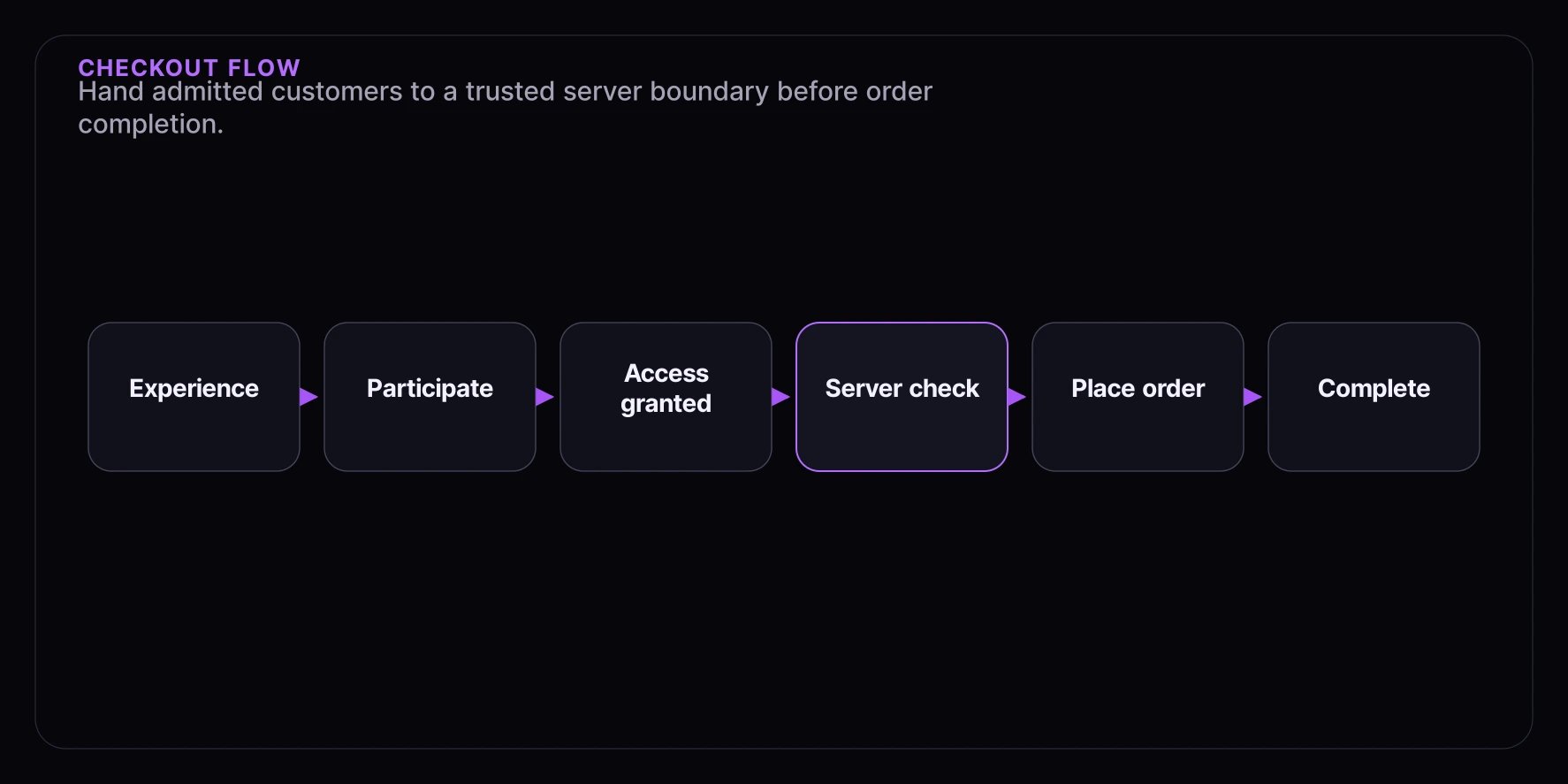
When a consumer is admitted through a Fanfare experience, the public SDK surfaces anadmissionGrant. This guide explains how to hand that grant to your checkout boundary and complete the purchase.
What you’ll learn:
- Understanding the admission-to-checkout flow
- Working with admission grants
- Handoff patterns for different platforms
- Completing the checkout cycle
Prerequisites
- Fanfare SDK integrated and working
- An existing checkout system
- Understanding of your e-commerce platform
The Checkout Flow
Understanding Admission Grants
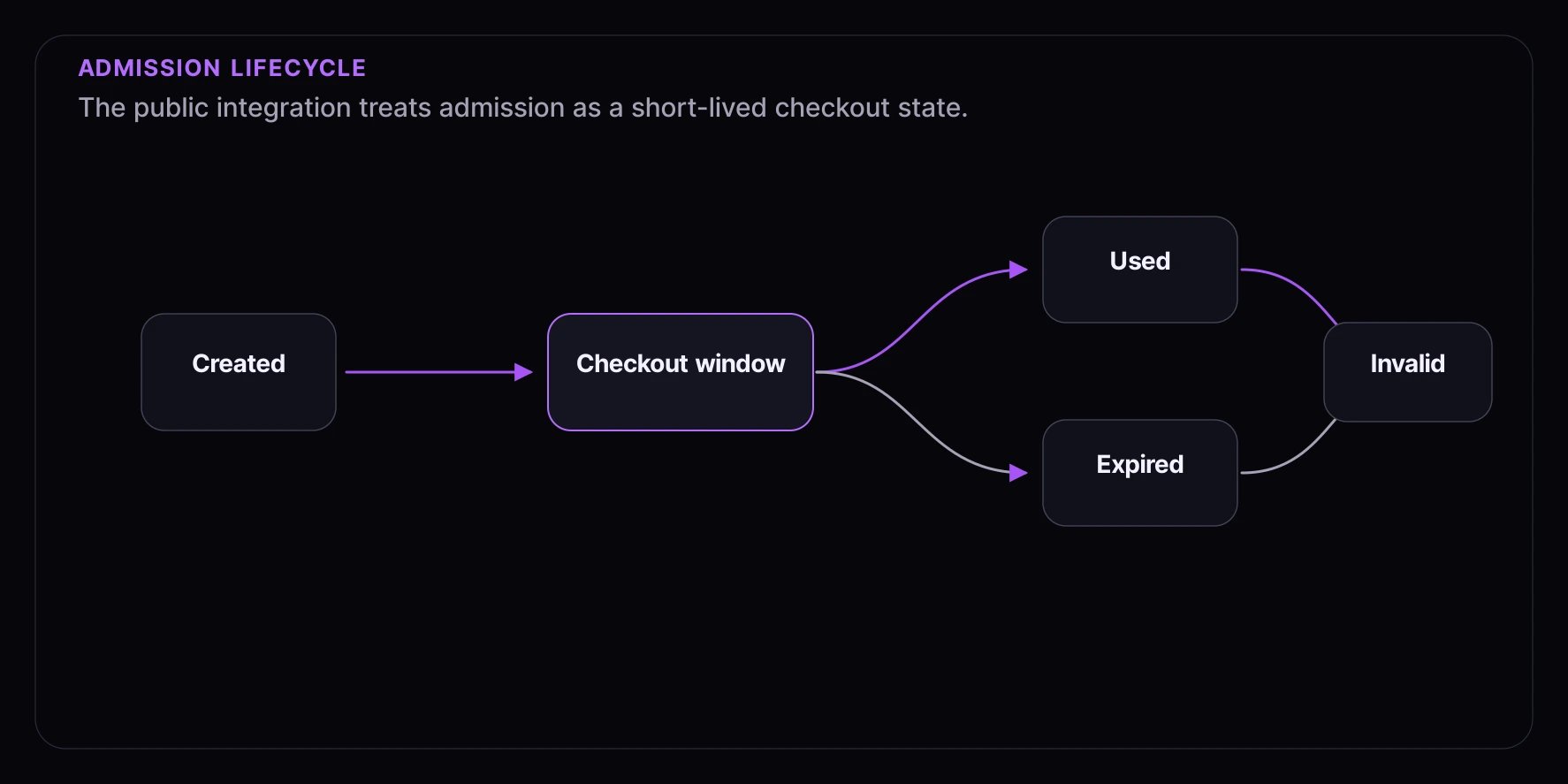
When a consumer is admitted, the public SDK surfaces an admission grant. This grant:- Proves they were legitimately admitted
- May include an expiration field on the admitted view or slot props
- Can be validated server-side
- Should only be used once
Grant Lifecycle
Step 1: Detect Admission
UseExperienceWidget when you only need to hand admitted consumers to checkout:
Step 2: Show Checkout Call-to-Action
For custom React UI, branch on the publicJourneyView and read the grant from the granted sequence:
Step 3: Pass the Grant to Checkout
Send the grant to a trusted server or checkout boundary. Keep the grant out of URLs, screenshots, debug logs, and third-party analytics.Server Handoff
Step 4: Validate Admission Server-Side
Before allowing checkout actions, validate the admission grant with Fanfare from your server:Step 5: Complete the Admission
After a successful order, record completion through your Fanfare checkout integration:Integration Patterns
Pattern 1: Same-Site Checkout
When checkout is on the same domain:Pattern 2: External Checkout (Shopify, etc.)
When checkout is on a different domain:Pattern 3: Embedded Checkout
When checkout happens in an iframe/modal:Handling Edge Cases
Grant Expiration During Checkout
Network Errors
Page Refresh
Checkout Success/Failure Handling
Success Flow
Failure Flow
Best Practices
1. Show Clear Timing
Always display remaining time prominently:2. Prevent Accidental Navigation
3. Validate Early
Validate the admission grant as soon as the checkout page loads, not just on submit:What’s Next
- Cart Reservation - Hold inventory during checkout
- Payment Processing - Integrate payment providers
- Order Completion - Handle order webhooks
- Shopify - Shopify-specific integration