

Product Basics
Each product includes:- Name — What consumers see
- Description — Product details
- Variant prices — Prices on the sellable units consumers can buy
- URL — Link to the product page on your store
- Images — Product photos
Product Variants
Variants represent different options like size and color:Variant Properties
Variant Pricing
Variants are the sellable units, so their prices are the values to keep synced with checkout. In API and event payloads, monetary values are decimal strings, not JSON numbers:- Premium variant:
"139.99"(rare color) - Standard variants:
"129.99"
Inventory Tracking
You can choose how inventory behaves for each variant:Limited Inventory
Use a limited inventory policy when a variant should sell out:- Stock count decreases with each purchase
- Consumers see “sold out” when quantity reaches zero
- Helps prevent overselling
Open Inventory
Use an open inventory policy when quantity should not block purchase:- Always shows as available
- Useful for digital products, made-to-order items, or backorders
- Can continue accepting purchases even after a stored quantity reaches zero
Product Images
Add images to showcase your products:- Primary image — Main product photo (shown in listings)
- Gallery images — Additional photos (shown on detail pages)
- Variant images — Specific to each variant (e.g., color photos)
Products in Experiences
Connect products to experiences to make them available:Single Product Experiences
Most common — one product per experience:Multiple Product Experiences
Offer several products in one experience:Variant-Specific Experiences
Link to a specific variant for exclusive launches:Product Selection Modes
Control how products are selected:
For system-assigned products, allocation weights control the relative probability that each product is assigned. These weights apply to product assignment only; draw winner selection methods decide which consumers are selected.
Syncing Products
Import products from your existing store:Supported Platforms
How Sync Works
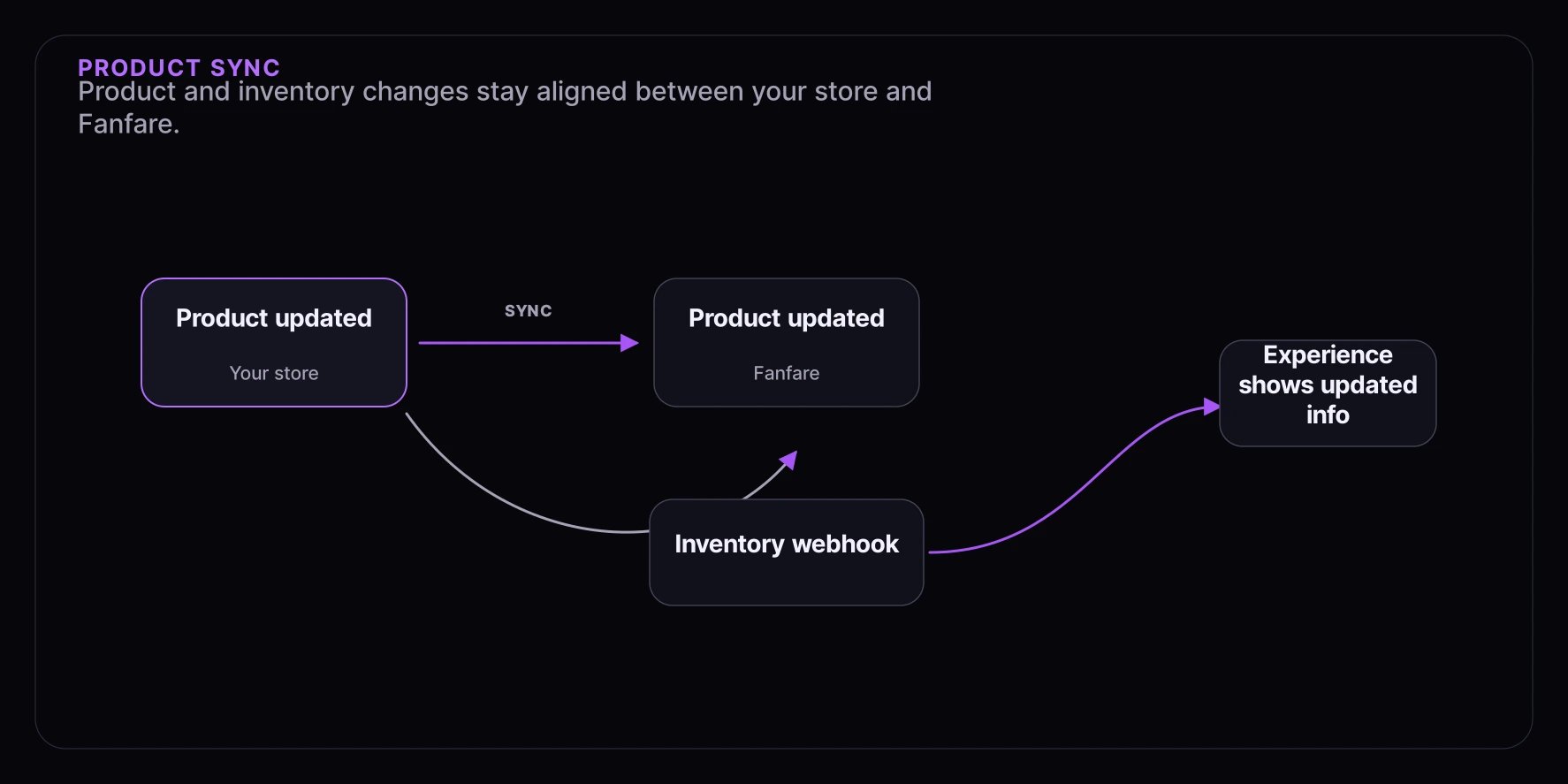
Keeping Inventory Synced
For tracked inventory:- Webhooks — Real-time updates when stock changes
- Periodic sync — Regular checks for changes
- Manual sync — Trigger a sync when needed
Pricing Best Practices
Use Decimal Strings
When sending prices through APIs, SDK actions, events, or webhooks, use decimal strings:- Example:
"129.99"for USD 129.99 - Example:
"129"for zero-decimal currencies such as JPY - Include the currency code wherever the endpoint asks for one
- Do not send cents or provider-specific minor units unless an endpoint explicitly asks for them
Consider Variant Pricing
- Use the same price string on variants that share a price
- Use different variant prices for premium variants
- Keep pricing consistent across your store
Managing Products
Create Products Manually
Add products directly in Fanfare:- Enter product details (name, description, URL)
- Add at least one variant with SKU, price, inventory policy, and quantity
- Upload images
- Link to experiences
Import from Your Store
Sync products from your e-commerce platform:- Connect your store
- Select products to import
- Products stay synced automatically
Update Products
Changes sync automatically when connected to your store. Manual updates are reflected immediately.Best Practices
SKU Strategy
Use consistent, meaningful SKUs:Inventory Accuracy
- Sync inventory frequently
- Set up webhooks for real-time updates
- Build in safety stock for high-demand launches
Image Quality
- Use high-resolution images
- Show multiple angles
- Include variant-specific images for colors
Keep Prices Synced
Ensure prices in Fanfare match your checkout:- Sync regularly
- Test the full purchase flow
- Check variant-specific pricing
Next Steps
- Experiences — Connect products to experiences
- Distribution Types — How consumers access products
- Dashboard: Experiences — Manage products within experiences